A QuickBooks Self-Employed alternative you pay for once
Intuit no longer offers QuickBooks Self-Employed to new customers and points them to QuickBooks Solopreneur, a monthly subscription. If you mostly need to log income, expenses and miles and know what to set aside for tax, a spreadsheet does that job without a monthly bill.
What a freelancer actually needs from the tool
- Income you were paid, by month, with unpaid invoices flagged.
- Expenses grouped the way the tax form groups them – Schedule C lines in the US, SA103 boxes in the UK – so year-end is copying totals, not sorting receipts.
- Business miles at the official rate.
- A rough tax set-aside number so the bill is not a surprise.
Subscription app vs. this spreadsheet
| Subscription bookkeeping app | Freelancer Business Tracker | |
|---|---|---|
| Price | Monthly fee | $12 once |
| Bank feeds | Yes | No – you type or paste entries |
| Expenses by Schedule C line / SA103 box | Varies | Yes, built in |
| Invoices with status and days overdue | Varies | Yes |
| Mileage log | Often GPS | Typed trips at the IRS/HMRC rate |
| Your data | In their cloud | A file you own |
Be honest with yourself about bank feeds: if you have hundreds of card transactions a month and want them imported automatically, a subscription app is the better fit. If you have a handful of clients and a few dozen expenses a month, a spreadsheet is faster and costs less.
Moving your records over
- Export your transactions from your old tool as CSV.
- Paste date, description and amount into the Expenses tab; pick a category from the list (it maps to the Schedule C line or SA103 box for you).
- Add clients on the Clients tab and open invoices on the Invoices tab.
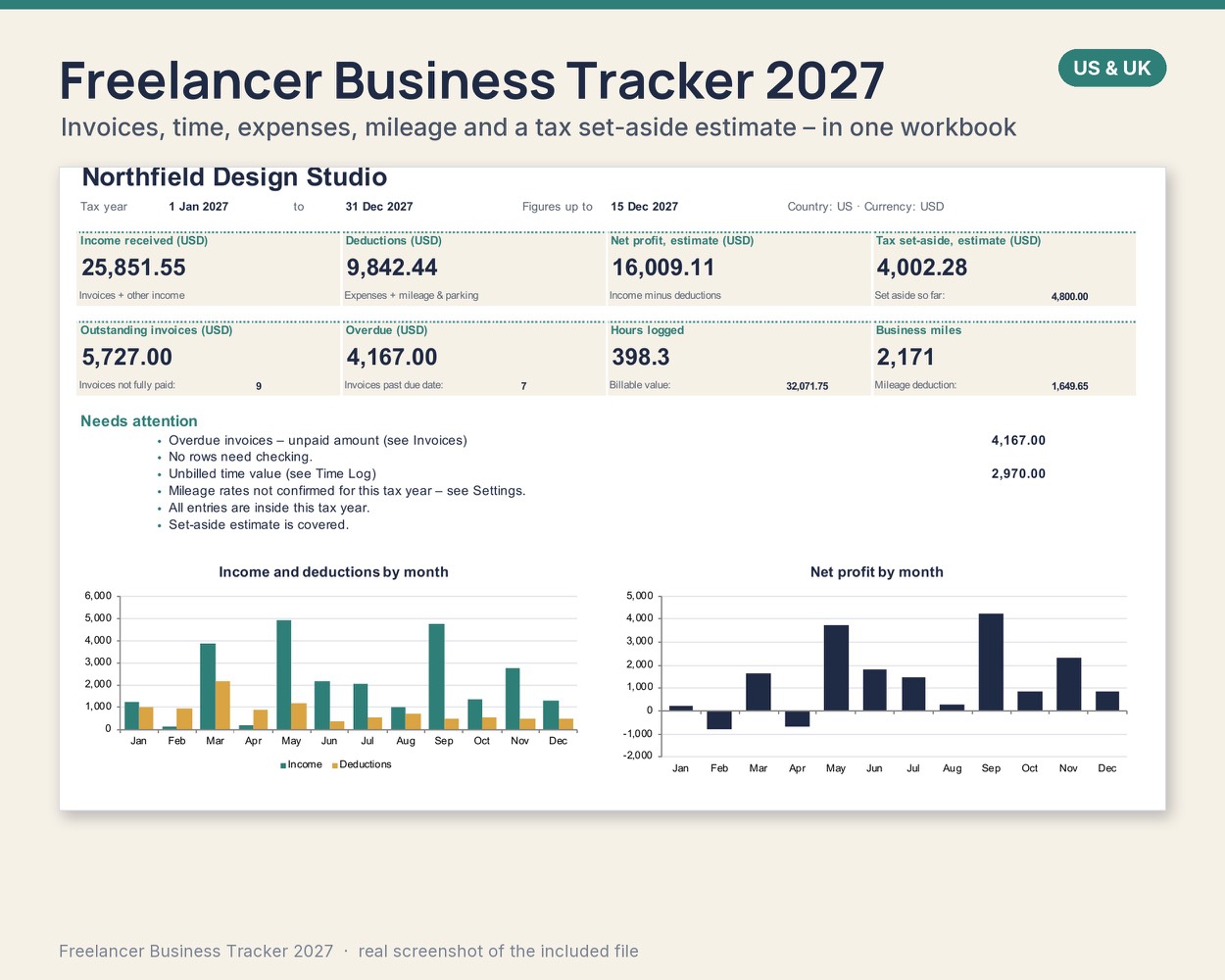
- Open the Dashboard – income, expenses and the set-aside estimate are already there.
Questions
Is QuickBooks Self-Employed discontinued?
Intuit stopped offering it to new users and suggests QuickBooks Solopreneur instead. Existing users could keep their accounts according to Intuit's support pages.
Does the spreadsheet connect to my bank?
No. You type or paste entries. That keeps it simple and private, but it is not automatic.
Does it work in Google Sheets?
It was built and tested in desktop Excel. It uses only functions Google Sheets supports, but it has not been tested there, so Excel is the safe choice.
Is there a subscription?
No. You pay $12 once and download the files.
Freelancer Business Tracker 2027 – $12 one-time
Excel workbook for US (Schedule C) and UK (SA103) self-employed people: invoices, time log, expenses, mileage, monthly totals and a tax set-aside estimate. Built and tested in desktop Excel (Windows and Mac).
Not tax advice. This page and the spreadsheet help you keep records and plan. They do not calculate your tax bill. Check the IRS or HMRC rules, or ask a tax professional.