The freelancer business tracker spreadsheet for your 2027 tax year
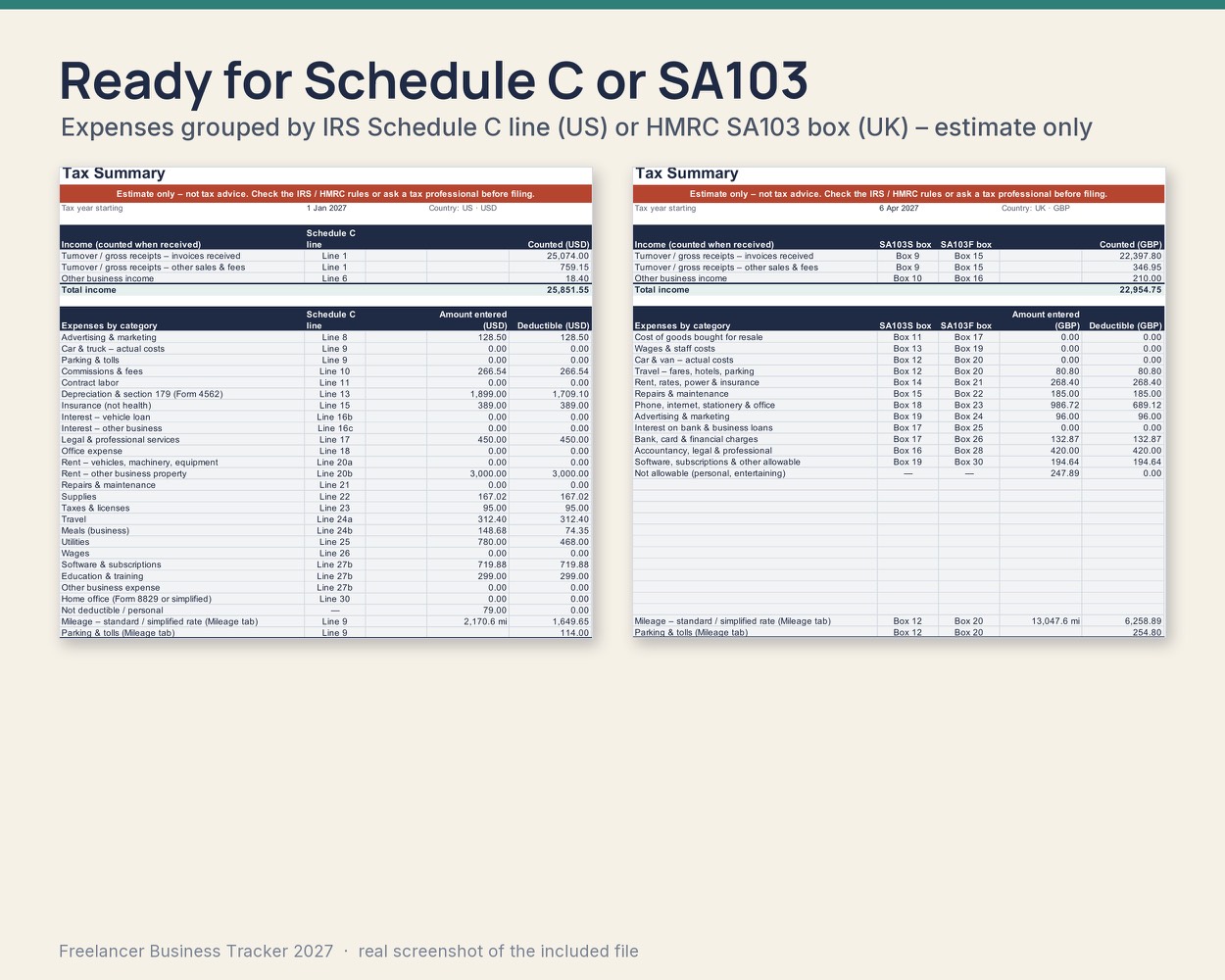
One Excel workbook for the money side of freelancing: clients, invoices, other income, time, expenses, mileage, monthly totals and a tax set-aside estimate. Expenses are grouped by IRS Schedule C line (US) or HMRC SA103 box (UK sole trader).
Buy now – $12 one-time Pay with PayPal
Pay once, no subscription. Polar emails your download link right after purchase.
Who it is for
- Self-employed people and freelancers in the US (expenses by Schedule C line) or the UK (by SA103 box). Pick US or UK on the Settings tab.
- The tax year can start on any date. The files are set to 1 Jan 2027 (US) and 6 Apr 2027 (UK); change one cell to use them for 2026 or 2026–27.
What it does
Invoices
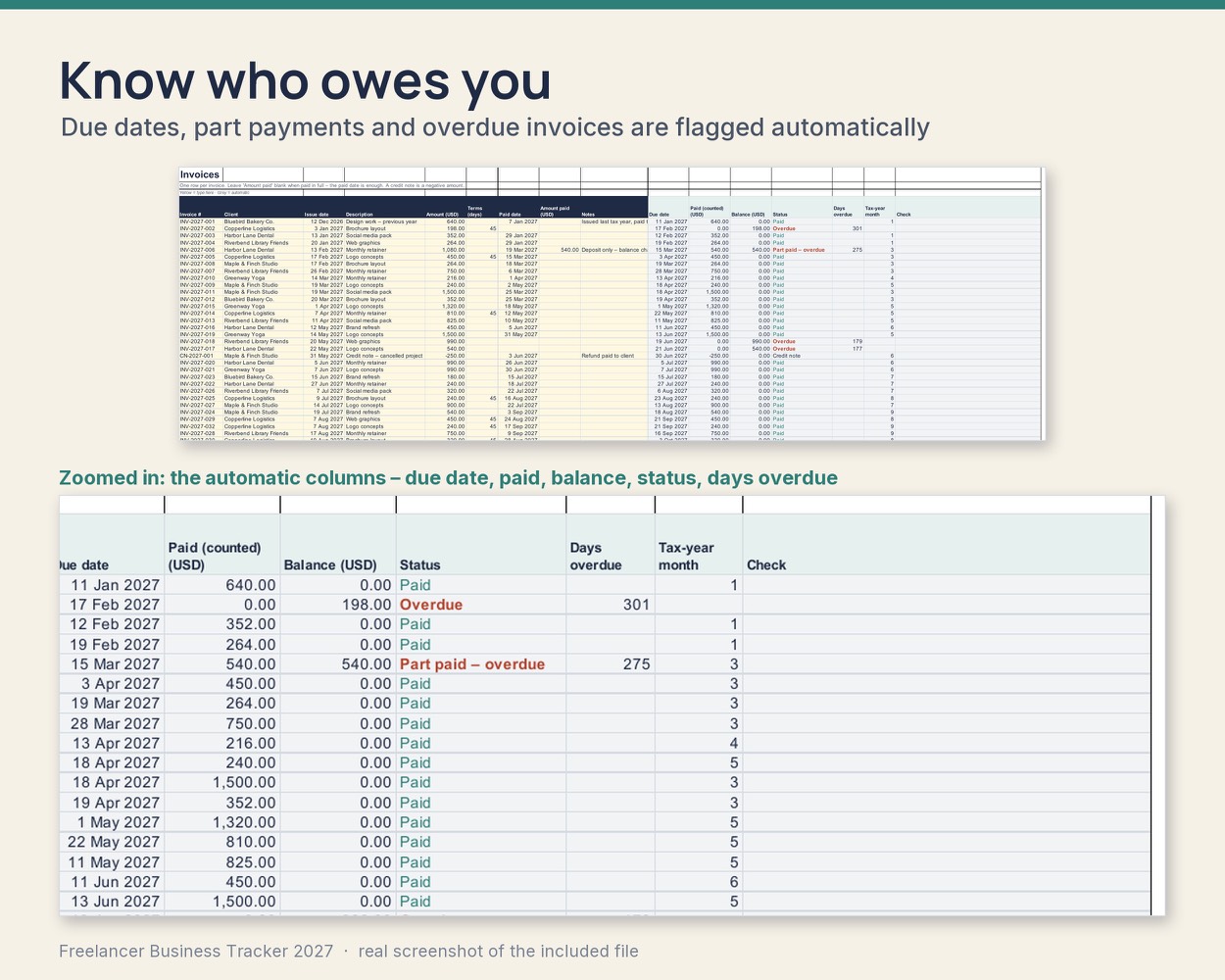
Due date from payment terms, part payments, balance, status (Paid, Open, Part paid, Overdue, Part paid – overdue, Credit note, or Check when the amount is missing) and days overdue.
Time log
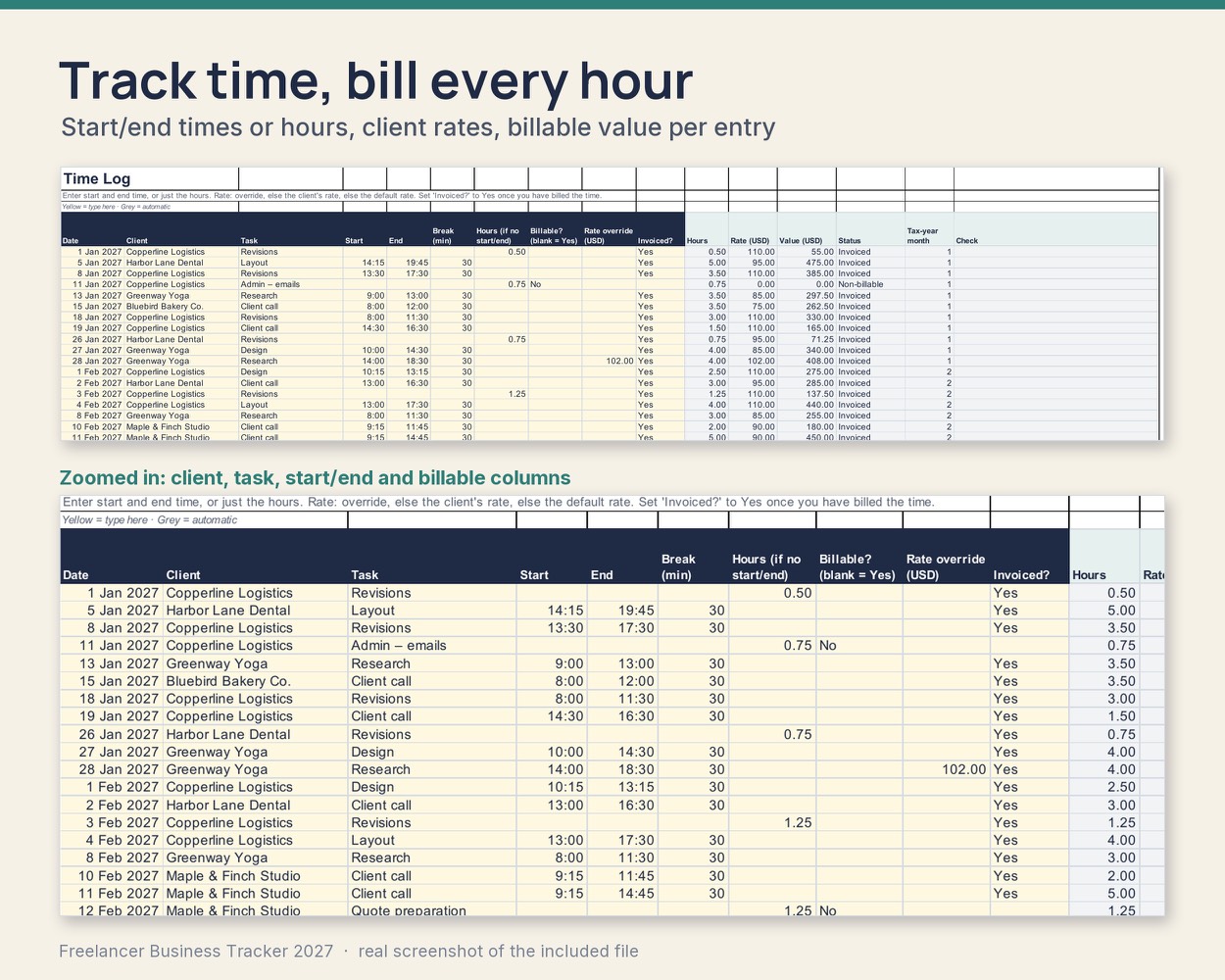
Start/end times or hours, breaks, client or override rates, billable value, invoiced or not.
Self employed expense tracker
Categories mapped to Schedule C lines (US) or SA103 boxes (UK). US business meals at 50% by default (editable).
Mileage log spreadsheet
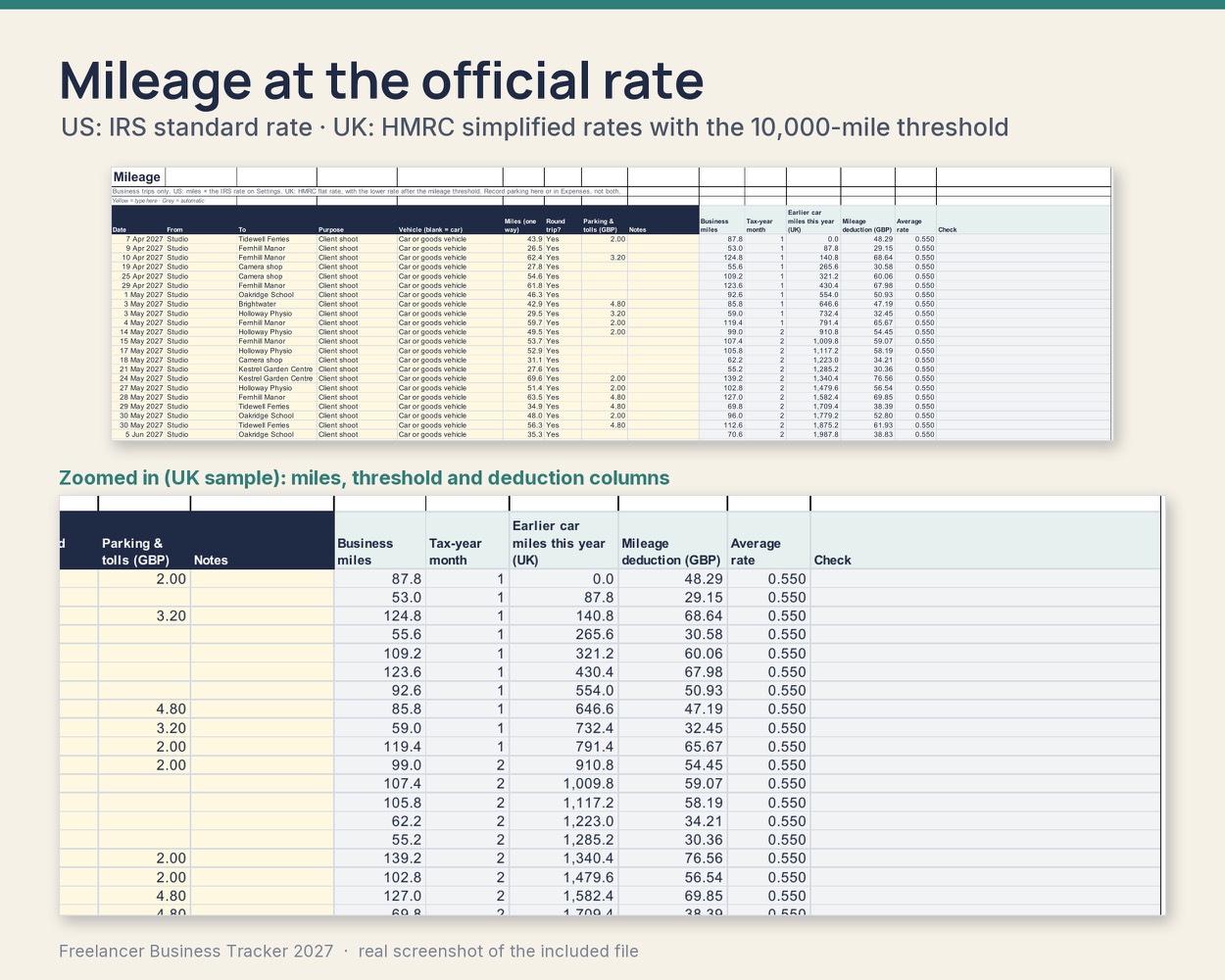
Rate per mile is an input with the official source shown. Ships with the latest published rates: IRS 76¢ (from 1 Jul 2026); HMRC 55p for the first 10,000 miles, then 25p; motorcycles 24p (2026–27). 2027 rates were not published when this file was made – you update one cell.
Summaries
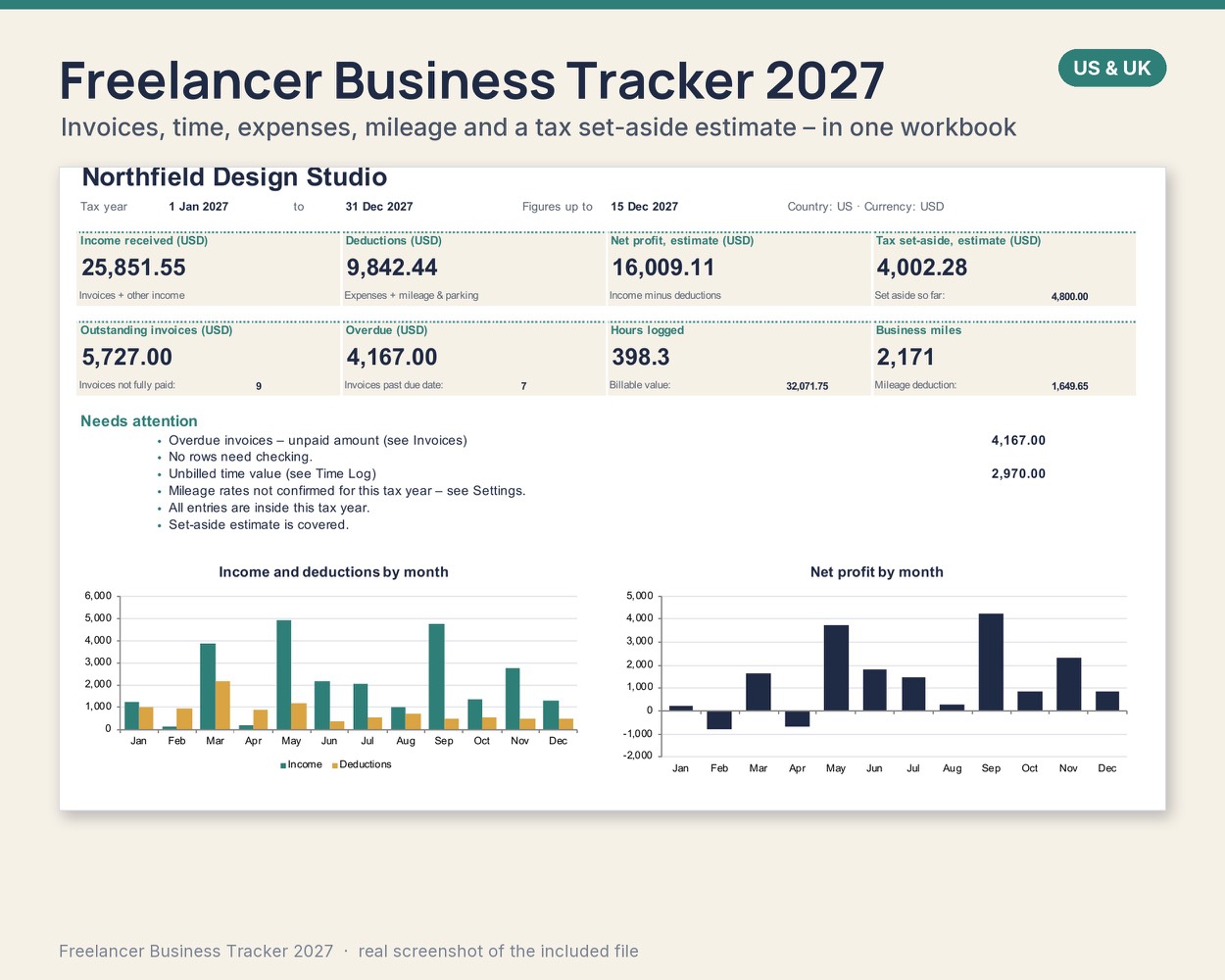
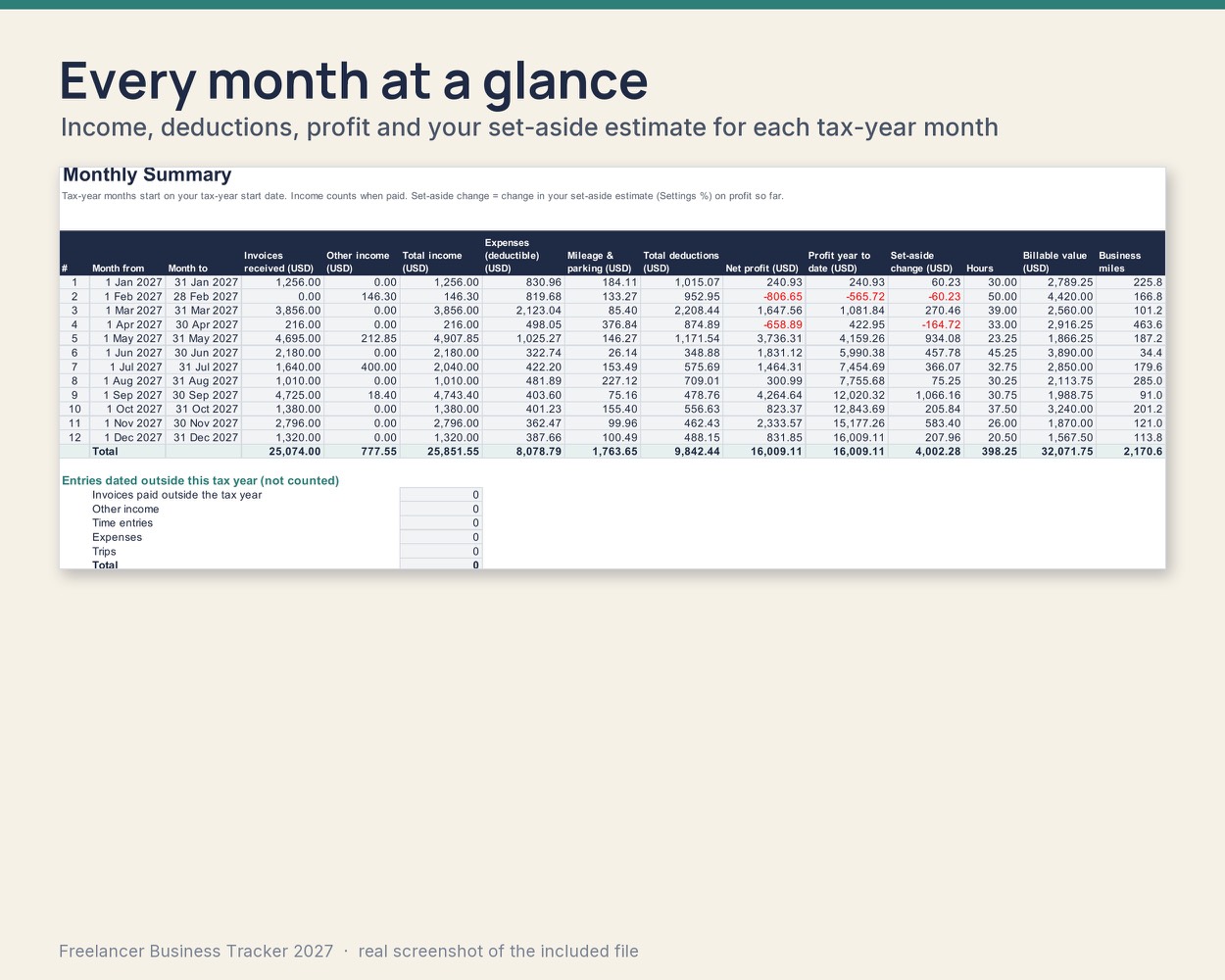
Monthly Summary for each tax-year month, Tax Summary by line/box, and a Dashboard with 4 charts and a "Needs attention" list.
Mistakes explained
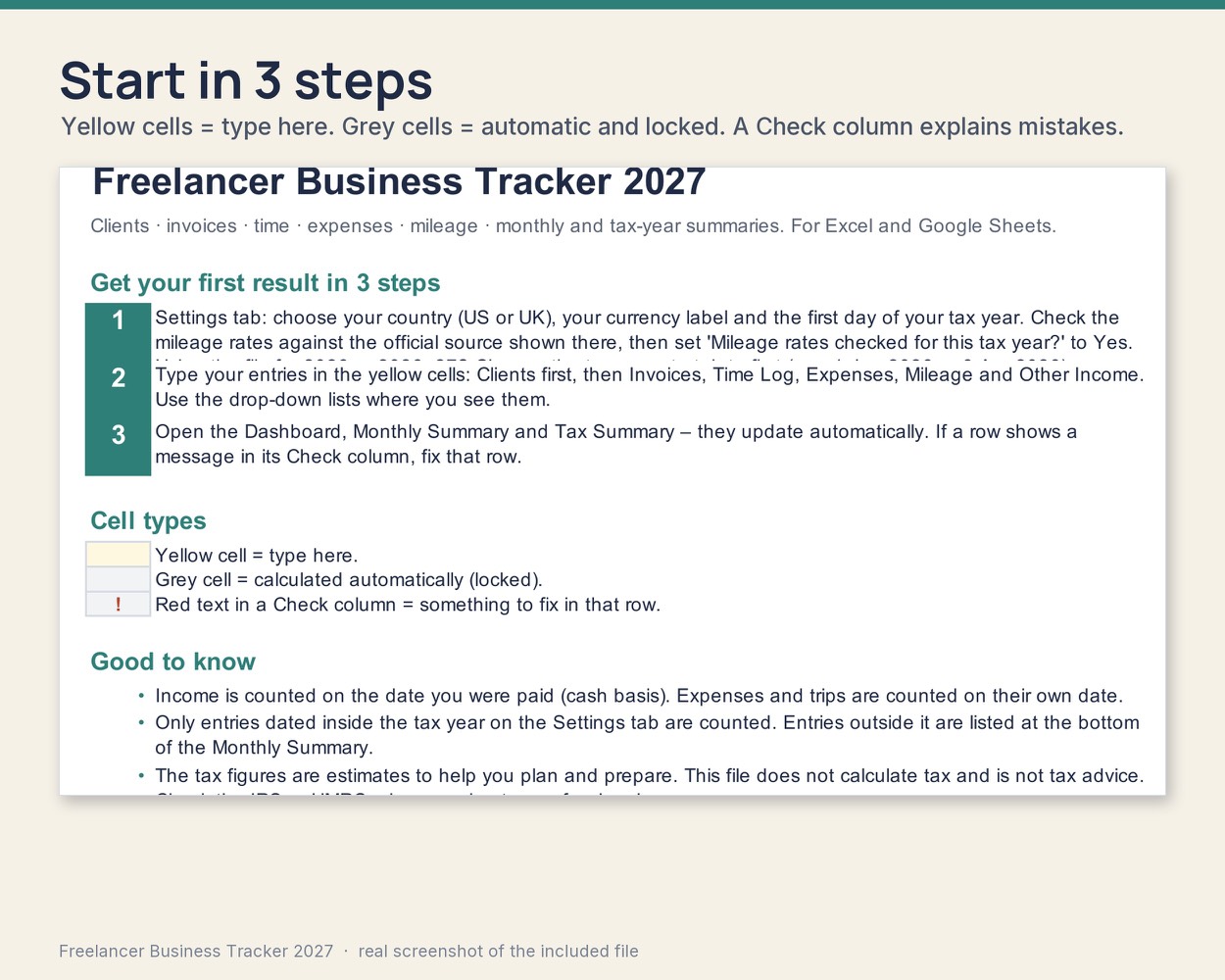
A Check column on every entry tab says what to fix, for example: date not valid, client not on the Clients tab, Billable must be Yes or No.
See the real file
Renders of the actual workbook.
What is in the download
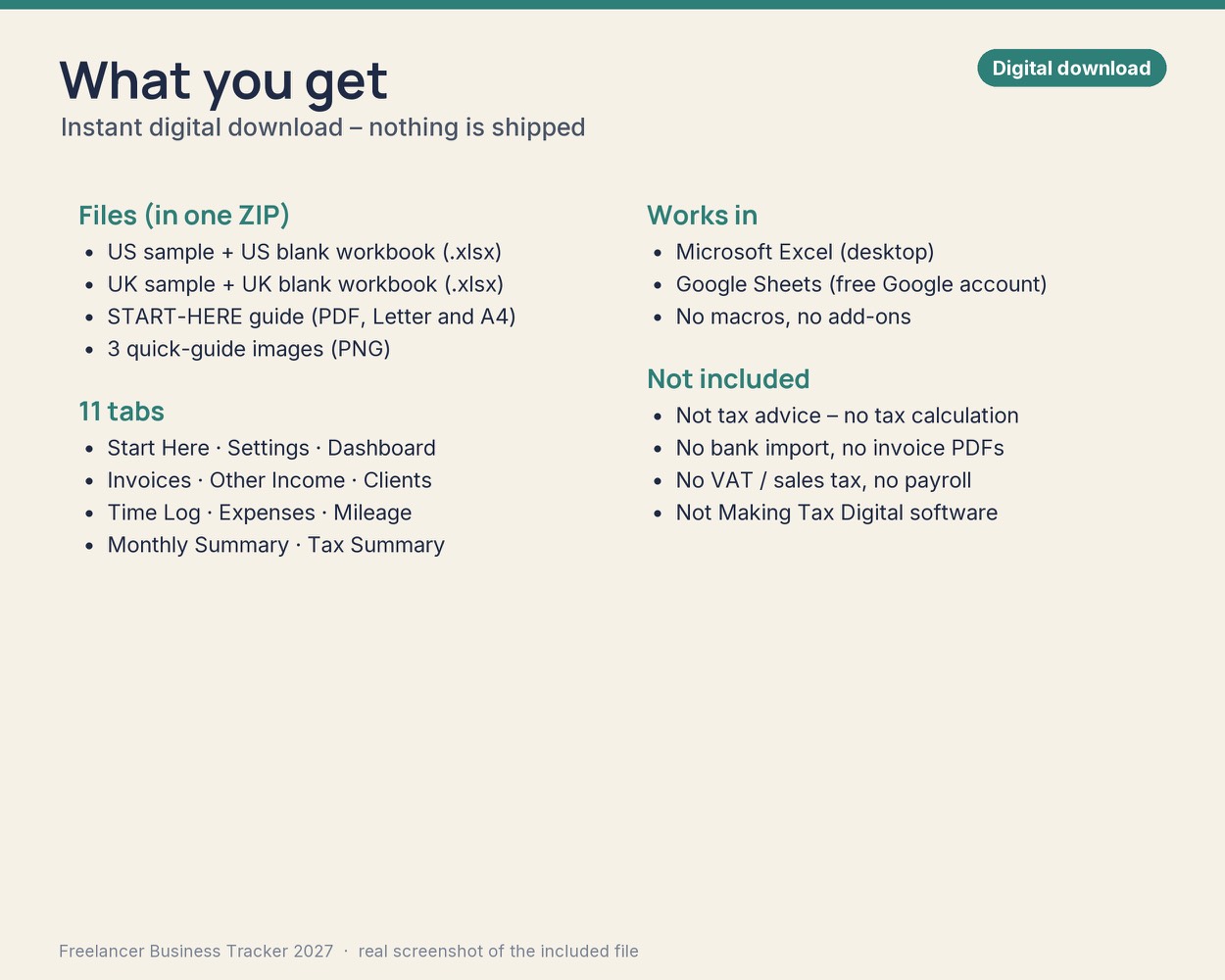
- US Blank + UK Blank workbook (.xlsx)
- US Sample + UK Sample workbook (.xlsx) with made-up example data
- START HERE guide (PDF, US Letter and A4)
- 3 quick-guide images (PNG)
11 tabs: Start Here · Settings · Dashboard · Invoices · Other Income · Clients · Time Log · Expenses · Mileage · Monthly Summary · Tax Summary.
Room: 150 clients · 1,000 invoices · 500 other income rows · 2,000 time entries · 2,000 expenses · 1,500 trips.
Built to not break
- Formula cells are locked (no password – you can unlock them); you type only in the yellow cells.
- No macros, no add-ons. Uses only functions available in both Excel and Google Sheets.
- Google Sheets: built and tested in Microsoft Excel. Uses only functions Google Sheets supports.
- Summary tabs (Dashboard, Monthly Summary, Tax Summary, Settings, Start Here) print one page wide on US Letter or A4. Logs print by selection.
- Made with AI help; every formula and total was checked against an independent calculation (155,928 cells, 0 mismatches).
Not included
- Not tax advice. It does not calculate your tax bill – the set-aside is a percentage you choose.
- Not Making Tax Digital software (it cannot submit anything to HMRC).
- No VAT / sales tax, no payroll, no bank import, no invoice PDF generator, no currency conversion.
- Needs a desktop spreadsheet app or a free Google account. Phone apps may not show charts or protection correctly.
Get it
$12
One-time payment · Excel .xlsx · US + UK versions in one ZIP
Digital download – nothing is shipped. Polar emails a download link right after purchase. Refunds: within 14 days, reply to your Polar receipt.
Questions
How do I get the file?
Polar emails you a download link right after purchase. Download the ZIP on a computer, unzip it and open START-HERE.
Does it work in Google Sheets?
It was built and tested in Microsoft Excel. It uses only functions Google Sheets supports, but it has not been tested there, so Excel is the safe choice.
Does it work on Mac?
It is a standard .xlsx file with no macros. It was built and tested in Microsoft Excel; phone and tablet apps may not show charts or protection correctly.
Will it work for the tax year 2026 or 2026–27?
Yes. The tax-year start date is one cell on the Settings tab. Defaults are 1 Jan 2027 (US) and 6 Apr 2027 (UK).
Are the mileage rates for 2027?
Not yet. 2027 rates had not been published when the file was made. It ships with the latest published rates (IRS 76¢ from 1 Jul 2026; HMRC 55p/25p, motorcycles 24p for 2026–27) and you update one cell.
Does it work out my tax?
No. It is not tax advice and does not calculate your bill. It groups your income and expenses by Schedule C line or SA103 box and sets aside a percentage you choose.
Can I send my figures to HMRC with it?
No. It is not Making Tax Digital software and cannot submit anything to HMRC.
What if I do not like it?
Within 14 days, reply to your Polar receipt for a refund.